
Tuesday 9:00 AM - 12:30 PM · Room 431-432, 4th Floor
Back to Basics with Microsoft 365: Choosing the Right Tool, Building Smart Foundations

Joy Apple
The Joy of SharePoint - Microsoft MVP & Modern Work Strategist
Microsoft 365 offers powerful collaboration tools, but with that power comes confusion. OneDrive, SharePoint, Teams, Viva Engage… when should you use what, and how do you get started without creating long-term chaos?
This half-day workshop is designed for organizations that want to get Microsoft 365 right from the beginning - or reset the parts that quietly went off the rails. With a focus on people, work patterns, and intentional collaboration, we’ll walk through practical foundations that scale, and that Copilot can actually work with.
• OneDrive for personal productivity and controlled sharing • SharePoint for structured team and organizational content • Microsoft Teams for collaboration, communication, and meetings • Viva Engage for org-wide conversation and communities
We’ll introduce “governance-lite” principles - simple, realistic decisions around naming, sharing, structure, and ownership that prevent sprawl without slowing users down.
Finally, we’ll look at how Microsoft Copilot layers on top of Microsoft 365, where it adds real value, and why good information architecture and permissions are essential for trustworthy AI outcomes.
You’ll leave with clear guidance on when to use each workload, practical starting structures you can apply immediately, and confidence to support users without over-engineering governance.
If you want fewer “where should this live?” conversations, this workshop is your blueprint.
Wednesday 8:30 AM - 9:40 AM · Ballroom 2, 5th Floor
Keynote : Building What’s Next for Work

Jason Moore
Vice President of Product Management – Copilot Studios
You’ve been using and building with AI. Now let’s talk about what’s actually possible at scale. In the opening keynote, Microsoft CVP Jason Moore takes a hands-on look at how business users, AI leaders and makers are rewriting the rules of work — improving personal productivity, transforming business systems, and orchestrating complex processes across people, applications, data, and agents. The Microsoft 365 community has always led in delivering value from productivity tools, and with AI now woven into every layer of the stack, what you can build and how fast you can build it has changed fundamentally. Live demos and real customer stories bring it all to life: how Microsoft 365 Copilot, Copilot Cowork, Power Platform, and Copilot Studio come together to put serious capability in the hands of makers at every level. And because none of it matters without trust, you’ll also see how governance keeps it all running at enterprise scale. If you’re building with AI and wondering how far it can go, this is where you find out.
Wednesday 10:20 AM - 11:30 AM · Room 445-446, 4th Floor
TMO (Too Many Options) In M365?
Joy Apple
The Joy of SharePoint - Microsoft MVP & Modern Work Strategist
Is the confusion of TMO (Too Many Options) in M365 getting to you? SharePoint, Teams, OneDrive, Viva Engage, Outlook… (Copilot?) When do we use what for communication vs collaboration?
In this session, Joy will simplify the sprawl with a practical “use what when” framework. Built for end users, team leads, and M365 champions (not admins), you’ll learn where conversations belong, where files should live, and how the tools work better together so work stays findable and teams stay aligned.
We’ll leverage our “Swiss Army Knife” of apps to communicate more effectively with the audiences we interact with every day.
Wednesday 10:20 AM - 11:30 AM · Room 433-434, 4th Floor
5 Steps for Driving Sustainable User Adoption of Your Copilot Investment

Asif Rehmani
CEO at VisualSP
Every Copilot rollout starts with a buzz. Then reality hits. Users drift back to old habits, the "results" feel underwhelming, and leadership starts asking the uncomfortable question: where's the ROI on what we just paid for?
If that sounds like your organization, you're not failing — you're at the exact point where most Copilot deployments stall. The gap isn't the technology. It's the absence of a system to drive activation after the launch hype fades.
This session skips the theory and hands you a practical framework built on five pillars of sustainable adoption: the "Adoption as a Service" model, designing rollouts around what users actually care about (WIIFM), tactical leadership involvement that goes beyond a kickoff email, and more. These are the moves high-growth organizations use to close the activation gap and turn licenses into measurable behavior change.
Wednesday 10:20 AM - 11:30 AM · Room 337-339, 3rd Floor
Master your Microsoft Environments: Manage, Secure and Recover to Reduce Complexity

Clifford DeWyze
Manager, Solutions Engineering, Kaseya

Thomas Keough
Solutions Engineer
As Microsoft environments continue to grow, so does the complexity of managing them. IT teams must oversee an expanding mix of users, endpoints, identities, cloud workloads and security controls across multiple dashboards and disconnected tools — all while defending against increasingly sophisticated and fast-moving cyber threats. Join this educational workshop to learn 8 winning strategies for simplifying your Microsoft operations, strengthening security and improving recovery. The session focuses on real operational challenges, common blind spots and actionable steps IT teams can take to make Microsoft environments easier to manage, harder to compromise and faster to recover. Attendees will discover how to: Centralize visibility across Microsoft users, devices, identities and cloud resources. Automate routine management and security tasks to improve efficiency and accelerate response. Connect email, identity, endpoint and cloud telemetry to detect and contain threats faster. Recover Microsoft 365, Entra ID, Azure and collaboration workloads quickly, after ransomware, accidental deletion or malicious changes. You'll leave this event with practical strategies to reduce operational silos, strengthen your security posture, automate key response workflows and accelerate recovery across your Microsoft environment.
Wednesday 11:40 AM - 12:50 PM · Room 433-434, 4th Floor
Lists, Loop, and Sanity: Your Survival Guide to Collaborative Chaos

Mark Kashman
Principal Microsoft 365 Consultant - Sympraxis Consulting
Information is the lifeblood of modern work, but it often feels like it’s coming from every direction at once. Projects shift, requirements change, and keeping everyone aligned can quickly slip into chaos. The result? Missed deadlines, duplicated effort, and collaboration fatigue. We’ve all been there, struggling to tame the constant flow of data and conversation.
That’s where Microsoft Lists and Microsoft Loop come in. These powerful tools are built to bring order to the madness. Join Mark Kashman, the Sage of SharePoint and Lion of Loop, as he shows you how these apps work together to help you track progress, manage details, and keep your team on the same page (literally). With real-world scenarios, interactive demos, and practical strategies, Mark will guide you through proven ways to turn scattered information into structured, actionable outcomes.
Don’t just survive the information overload, learn to thrive in it. This session is your chance to get hands-on insights from one of the community’s most trusted experts. You’ll walk away with practical tips you can apply immediately, plus fresh intel from the Microsoft roadmap. Come ready to ask questions, see solutions in action, and leave with the skills to turn collaboration chaos into progress.
Wednesday 1:50 PM - 3:00 PM · Room 333-334, 3rd Floor
Start Your Adoption Journey with Adoption.microsoft.com

Jessie Hwang
Customer Experience PM, Microsoft 365 Customer Advocacy Group, AI & Collaboration
Don’t start from scratch. Discover the resources, frameworks, and proven guidance available on adoption.microsoft.com to help you successfully drive the adoption of Microsoft 365, Copilot, and AI solutions in your org. Learn where to begin, what resources to use, and how to build a sustainable adoption strategy that drives lasting value for your organization.
Wednesday 3:50 PM - 5:00 PM · Room 333-334, 3rd Floor
Microsoft Planner in the Agentic Era: From Tasks to AI-Powered Work Management

Mars Gu
Product manager 2 - Microsoft
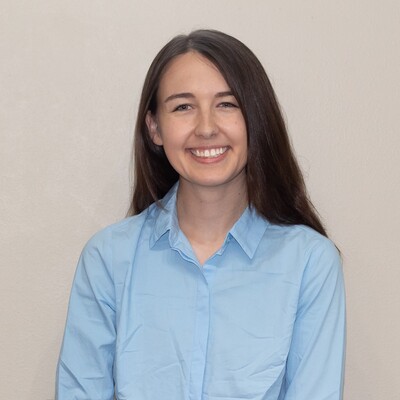
Robyn Guarriello
Senior Product Manager, Microsoft Planner
Work rarely lives in one place. It spans plans, emails, meetings, chats, documents, and the people responsible for moving it forward. In this Microsoft-led session, we’ll show how Microsoft Planner is evolving into an AI-powered work management layer across Microsoft 365 — helping teams move from scattered updates and manual coordination to clearer priorities, structured plans, and intelligent action. Grounded in recent product announcements and real-world enterprise use cases — including how Planner supported complex cross-org execution for the Maia 200 AI Accelerator — attendees will leave with a practical view of where Planner fits in modern work management, how AI changes project coordination, and what scenarios to consider for adoption across teams.
Thursday 10:20 AM - 11:30 AM · Room 435-436, 4th Floor
The Definitive Guide for When to Use What In Microsoft 365

Jared Matfess
AI Architect @ AvePoint
Microsoft is rapidly releasing new capabilities across Microsoft 365, making it challenging for organizations to determine which tool fits which scenario. In this session, we will explore practical business use cases and map them to core services such as Microsoft Teams, Microsoft 365 Groups, Viva Engage, and Microsoft Loop. We will also discuss how audience, tone, governance, and intended impact influence solution choice so you can make confident recommendations that solve real business problems. Finally, we will examine effective strategies to drive user adoption and help your organization fully realize the value of your Microsoft 365 and Copilot investments.
Thursday 11:40 AM - 12:50 PM · Room 320-321, 3rd Floor
Engage Everywhere: Communities, Events, and Storylines in Teams, Powered by AI

Sarah Lundy
Sr. Customer Experience Program Manager, Microsoft
What's new and next with Engage. We will showcase Engage Roadmap including communities, events, and storylines in Teams, and more, all powered by AI.
Friday 9:00 AM - 10:10 AM · Room 337-339, 3rd Floor
PowerPoint Copilot: Transformational Storytelling that Drives Change

Derek Snook
PowerPoint Group Product Manager, Microsoft
PowerPoint is evolving into an AI-powered storytelling platform that helps transform organizational knowledge into compelling presentations. In this session, we'll explore the latest innovations in PowerPoint from Copilot-powered creation and editing, including grounded presentation generation from your work data, on-brand content creation, AI-powered imagery, and intelligent refinement workflows to improved fundamentals. You'll see how PowerPoint brings together enterprise knowledge, design intelligence, and generative AI to help IT admins, developers, and data scientists communicate complex ideas with greater speed, consistency, and impact—while maintaining trust, control, and enterprise readiness.
Friday 10:20 AM - 11:30 AM · Room 337-339, 3rd Floor
Copilot Notebooks - The AI-Workspace for E2E Knowledge Work
Abhishek Kaushik
PM Lead, Microsoft Copilot Notebooks
Copilot Notebooks is an AI-powered workspace that turns scattered files, meetings, and conversations into a persistent, grounded workspace — where Copilot reasons across your curated sources to keep every answer relevant and context-aware. In this session, we'll show how Notebooks carries knowledge work end to end, from understanding source material to synthesizing insights, drafting deliverables, and collaborating with your team, all in one place