Monday 9:00 AM - 5:00 PM · Room 345-346, 3rd Floor
Microsoft Fabric AI, Copilots, Data Agents, Fabric IQ, & Extending Data Agents Beyond Fabric

Bradley Ball
Microsoft - Sr. Technical Program Manager

Bradley Schacht
Principal Program Manager, Microsoft Fabric CAT

Daniel Taylor
Microsoft Sr Cloud Solution Architect | Global Data & AI

Josh Luedeman
Principal Solution Architect and Technology Strategist
Microsoft Fabric has AI Functions, Copilots, Data Agents, Fabric IQ, and the capability to extend Data Agents via Microsoft Foundry, Copilot Studio, & Python Code.
In this session we will answer the following questions, when should you use Fabric IQ? What is the difference between a Copilot and a Data Agent? How do you extend them beyond Microsoft Fabric? When should you use Microsoft Foundry vs. Copilot Studio vs. Python Code vs. publishing directly to M365? How does advanced security like Row Level Security or Column Level Security work with Data Agents?
Join the team from Microsoft for a full day of learning and discovery. The goal of this session is to provide you with the knowledge to implement these technologies and understand the decisions behind why, when, and how you should utilize them.
Wednesday 11:40 AM - 12:50 PM · Room 437-439, 4th Floor
Microsoft Foundry Agent Service 101

Prashant G Bhoyar
7 x Microsoft AI MVP| 4 x Microsoft Business Applications MVP| Keynote Speaker| Author| Leading AI Architect | Microsoft Certified Trainer, AI Architect at AIS
Foundry Agent Service connects the core pieces of Foundry (such as models, tools, and frameworks) into a single runtime. It manages conversations, orchestrates tool calls, enforces content safety, and integrates with identity, networking, and observability systems. These activities help ensure that agents are secure, scalable, and production-ready.
In this demo-driven session, we will explore how organizations can use the Foundry Agent Service to design and deliver extensible enterprise-grade AI agents.
We will cover: Foundry Agent Service Key Concepts Extending Agents with Tools (automatic tool calling, code interpreter, and file retrieval) Best Practices How organizations can leverage Foundry Agent Service to build next-gen, enterprise-grade AI agents and workflows
Wednesday 1:50 PM - 3:00 PM · Room 320-321, 3rd Floor
Microsoft Fabric, Power BI Writeback to SQL, & Sentiment Analysis with Microsoft Foundry
Bradley Ball
Microsoft - Sr. Technical Program Manager
Power BI writeback is technically called Translytical Task Flows. However, nobody knows what Translytical Task Flows are.... which is Power BI writeback. This functionality allows you to turn your Power BI reports into Apps.
How does this work? We use User Data Functions as the pass through mechanism to update data in a database and Direct Query or Direct Lake Semantic Models to update the reports.
In this session we will use a real-world scenario where we take customer reviews, score them for sentiment using a user data function, display them in a Power BI report and allow our Power BI users who own the products being reviewed to enter feedback for the leadership team of their company.
This will be an end-to-end demo so you can walk away with a full understanding of how to implement this for your business.
Thursday 10:20 AM - 11:30 AM · Room 343-344, 3rd Floor
Making AI Agents Smarter with Fabric IQ, Foundry IQ, and Work IQ
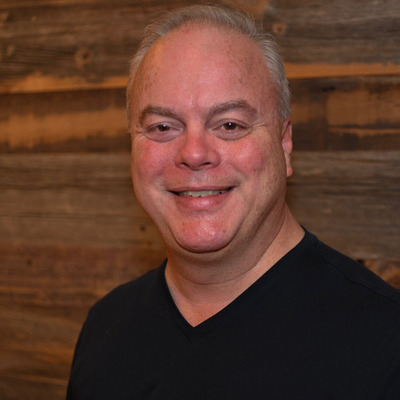
Treb Gatte
Microsoft MVP, MCP, MCTS, MBA, CEO, Marquee Insights
Connecting Copilots and Microsoft Foundry AI agents to company data across SharePoint, databases, and documents is complex. Foundry IQ + Fabric IQ + Work IQ provide secure, unified access through one API. Learn to connect agents to multiple sources, configure permissions, use Agent Factory for deployment, and ensure agents understand business context, not just raw data.
Thursday 4:00 PM - 5:10 PM · Room 433-434, 4th Floor
Beyond Built-In: Integrating Azure AI Foundry Models into Copilot Studio Agents

Samir Makwana
MVP (Copilot Studio)| Founder of Cloudtrify | Cloud Solution Architect | Angel Investor
Overview Copilot Studio provides powerful tools for building conversational agents, but what if you need more control over the models behind them? This session walks through how to bring custom and enterprise-ready models from Azure AI Foundry into your Copilot Studio agents—giving you flexibility, precision, and the ability to tailor AI behavior to your exact needs.
Why This Matters Built-in models work well for general scenarios, but enterprises often require domain-specific logic, industry compliance, or advanced reasoning capabilities. Integrating Azure AI Foundry models enables teams to maintain conversational experiences in Copilot Studio while leveraging specialized models tuned for their unique requirements.
What You Will See Live Demo and Practical Guidance
Select and register models from Azure AI Foundry Connect custom models into agent prompts Orchestrate model responses within multi-turn conversations Evaluate when to use a Foundry model over a built-in option
Use Cases Highlighted
Domain-specific logic and terminology Industry compliance requirements Advanced reasoning scenarios
The session includes real-world examples showing how this integration elevates AI solutions beyond out-of-the-box capabilities.
Who Should Attend Developers, solution architects, and Power Platform implementers who want to extend Copilot Studio agents with custom or enterprise-grade models from Azure AI Foundry.
Friday 10:20 AM - 11:30 AM · Room 431-432, 4th Floor
Build Intelligent Agents with Work IQ, Foundry IQ, Fabric IQ, and Copilot Studio
Prashant G Bhoyar
7 x Microsoft AI MVP| 4 x Microsoft Business Applications MVP| Keynote Speaker| Author| Leading AI Architect | Microsoft Certified Trainer, AI Architect at AIS
What if your AI agents truly understood how your business works, had instant access to trusted enterprise data, and could take meaningful action from end to end?
In this session, we’ll cover how to build enterprise-ready AI agents that understand business context, use trusted data, and take real action. In this fast-paced session, we’ll bring Work IQ, Foundry IQ, and Fabric IQ together with Copilot Studio through best practices and live demos.
Key Takeaways: *Work IQ: Ground agents in real work, roles, and business processes *Foundry IQ: Design and orchestrate intelligent agent behavior *Fabric IQ: Power agents with secure, enterprise-grade data *Copilot Studio: Bring it all together into an end-to-end intelligent agent