
Monday 9:00 AM - 5:00 PM · Room 431-432, 4th Floor
Automation Accelerator: Power Automate Bootcamp - From Basics to Brilliance

Amarender Peddamalku
MVP | Practice Lead - Microsoft Modern Work @Perficient
This workshop is for beginners and I will cover a range of topics to help participants understand and utilize Power Automate effectively. Here are some key topics:
Introduction to Power Automate:
Overview of Power Automate and its capabilities. Understanding the different types of flows (cloud flows, desktop flows, business process flows). Creating Your First Flow
Step-by-step guide to creating a simple automated workflow. Using templates to get started quickly. Working with Connectors:
Connecting to various data sources and services. Using standard and premium connectors. Building Advanced Flows:
Using conditions, loops, and variables. Integrating with other Microsoft services like SharePoint, Teams, and Outlook.
Setting up error handling in your flows. Monitoring and troubleshooting flows. Best Practices and Governance:
Tips for designing efficient and maintainable flows. Understanding governance and security considerations. Hands-on Labs and Exercises:
Practical exercises to apply what you've learned. Building real-world automation scenarios.
These topics provide a comprehensive overview and hands-on experience with Power Automate, enabling participants to automate and optimize their business processes effectively
Tuesday 9:00 AM - 5:00 PM · Room 423-424, 4th Floor
Power Automate Multi-Stage Approval Workflows - Workshop
Amarender Peddamalku
MVP | Practice Lead - Microsoft Modern Work @Perficient
In every organization there are a number of scenarios which require an Approval process. It could be Contract approvals, PTO/Leave Approvals, Event approvals and many other business processes.
In this workshop we'll learn how to design and develop Multi-Stage Approval Workflows using Power Automate. The workflow will move back and forth b/w different stages and will also learn how to restart a workflow from a given stage. We'll learn how to include Dynamic Approvers in the workflow process.
We'll also learn how to design and develop Automated escalations and Automated reminders. We'll implement timeout features in the workflows to escalate it to the next approver in the process. We will learn how to log and retain workflow history beyond what Microsoft Power Automate offers out-of-box. We'll develop a button to kick off the workflow from a SharePoint library/list.
Wednesday 8:30 AM - 9:40 AM · Ballroom 2, 5th Floor
Keynote : Building What’s Next for Work

Jason Moore
Vice President of Product Management – Copilot Studios
You’ve been using and building with AI. Now let’s talk about what’s actually possible at scale. In the opening keynote, Microsoft CVP Jason Moore takes a hands-on look at how business users, AI leaders and makers are rewriting the rules of work — improving personal productivity, transforming business systems, and orchestrating complex processes across people, applications, data, and agents. The Microsoft 365 community has always led in delivering value from productivity tools, and with AI now woven into every layer of the stack, what you can build and how fast you can build it has changed fundamentally. Live demos and real customer stories bring it all to life: how Microsoft 365 Copilot, Copilot Cowork, Power Platform, and Copilot Studio come together to put serious capability in the hands of makers at every level. And because none of it matters without trust, you’ll also see how governance keeps it all running at enterprise scale. If you’re building with AI and wondering how far it can go, this is where you find out.
Wednesday 10:20 AM - 11:30 AM · Room 443-444, 4th Floor
Power Automate Made Simple: Your First Flow in Minutes

Karinne Bessette
Technologist, PS @Veeam
Power Automate can seem intimidating at first, but it doesn’t have to be. This beginner-friendly session is designed to break down the barriers and show you just how easy automation can be. We’ll start by introducing the core concepts that make Power Automate such a powerful tool for streamlining everyday tasks. Then, you’ll follow along step-by-step to create your very first flow—no prior experience required. By the end of the session, you’ll understand how triggers, actions, and connectors work together and leave with a working automation you can use immediately. Join us and discover how simple it is to save time and boost productivity with Power Automate.
Wednesday 11:40 AM - 12:50 PM · Room 443-444, 4th Floor
Seeking Your Approval: Using Approvals in Power Automate and Teams

Lindsay Shelton
Digital Workplace Advisor | MVP, MCT | she, her
With all of the emails piling up in your inbox and Teams chats pinging left and right, it can be easy to miss that quick, "Hey, does this look good?" question from a colleague. Using Microsoft Approvals can be a great way to have a concrete, separate place to collect those approvals. In this session, Lindsay will share: *How to build a variety of types of approvals in Power Automate *How to view those approvals in Microsoft Teams *Use cases for building processes around approvals
This session will enable audience members to build their own approval solutions, whether simple and straight-forward or complex and layered. Products: Power Automate, Microsoft Teams, Microsoft Outlook
Wednesday 3:50 PM - 5:00 PM · Room 443-444, 4th Floor
Power Automate: Low-Code Cloud Flows by a Pro-Dev
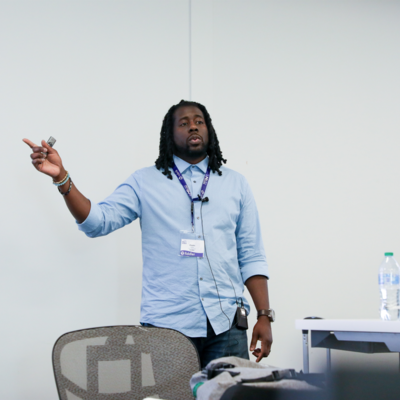
Charles Lakes II
Microsoft MVP BizApps | Creative Solution Architect @ The II Lakes Group
Cloud flows are low-code, but they're highly scalable and surprisingly extensible. For makers wanting to better build and design their flows, there are several pro-dev concepts everyone could easily adopt to level up their flows.
Reimagining their existing cloud flows, makers can quickly improve flow performance and reliability, while also making their logic more intuitive. In this session, let's dive in and make your flows production ready like a pro-code developer.
Thursday 10:20 AM - 11:30 AM · Room 443-444, 4th Floor
Power Automate Expressions With Copilot

Scott Shearer
Microsoft 365 Evangelist, MVP and MCT
A deep knowledge of expressions is critical to maximizing the power of Power Automate. In this demo rich session, we'll take a deep dive into the types of expressions available and how to apply them. You'll also see how Copilot can be a big timesaver when creating and learning about Power Automate expressions.
You'll see how to combine expressions, use expressions to simplify or eliminate conditions, how to use and apply date and string expressions, how to use expressions with collections and arrays and more...
If you have a casual knowledge of Flow and want to "step up your game" with the use of expressions, attend this session!
Thursday 11:40 AM - 12:50 PM · Room 445-446, 4th Floor
Power Automate Multi-Stage Approval Workflows
Amarender Peddamalku
MVP | Practice Lead - Microsoft Modern Work @Perficient
In this session we’ll learn how to design and develop Multi-Stage Approval Workflows Using Power Automate.
We will also learn how to restart the workflow from a given stage and how to include Dynamic Approvers. We'll dig into how to design and develop Automated escalations and Automated reminders. We will also learn how to log workflow history and ways to retain the history indefinitely.
Thursday 2:00 PM - 3:10 PM · Room 443-444, 4th Floor
Modern (and Reimagined) Processes w/ Power Automate
Charles Lakes II
Microsoft MVP BizApps | Creative Solution Architect @ The II Lakes Group
Are you getting the most out of your cloud infrastructure? More and more organizations are migrating to Microsoft 365 and they want to embrace their licensed SaaS apps, but they are rarely taking the opportunity to reimagine many of their legacy work processes.
Power Automate, the workflow automation arm of the Power Platform, empowers businesses to modernize their older on-prem business processes and redesign them for the cloud. In this session, we will (I) introduce some automation fundamentals, (II) explore several cloud flow better practices, and (III) outline many of the opportunities for business efficiency, saving work hours and avoiding unnecessary costs.
Friday 9:00 AM - 10:10 AM · Room 443-444, 4th Floor
Power Automate Best Practices

Andrew Hess
Youtuber | AI Lead | Application Developer | Speaker
Anyone can build a Power Automate flow. Building one that is reliable, efficient and maintainable is a different story.
In this session we go beyond the basics and dive into the practices that separate good flows from great ones. Whether you are just getting started or have been building flows for years, there is something in this session for everyone.
By the end of this session you will walk away with practical techniques you can apply to your flows the same day.
Friday 10:20 AM - 11:30 AM · Room 443-444, 4th Floor
Power Automate for SharePoint
Scott Shearer
Microsoft 365 Evangelist, MVP and MCT
Power Automate is THE tool for building workflows in SharePoint — and it’s evolving fast. We’ll explore how Power Automate integrates with SharePoint lists and libraries, focusing on practical tips that you can use today. In addition, we'll cover the latest updates to the many ways that Power Automate integrates with SharePoint!
We'll start by reviewing the new Power Automate features embedded in SharePoint. You’ll also see how to design common SharePoint scenarios such as approvals, notifications, and metadata updates, and learn what’s new with the SharePoint Workflows experience, natural‑language flow creation, and Copilot‑assisted automation. We’ll also cover tips for building reliable flows and avoiding common issues like infinite trigger loops and the SharePoint Get Items action item limit.
Ready to take your SharePoint automation to the next level? Don’t miss this session!
Friday 1:50 PM - 3:00 PM · Room 443-444, 4th Floor
Ditch the Manual Grind: SharePoint & Power Automate – Beyond the Basics for Every User!

Norm Young
Microsoft 365 and Power Platform Solution Architect | Microsoft MVP
Tired of manual tasks and automation that feels like a maze? This session is your shortcut to smarter workflows! We're diving deep into how SharePoint Online, combined with Power Automate, empowers everyone to simplify their daily grind.
Join us to learn how to leverage SharePoint's native "Rules" for quick reminders and notifications, streamline approvals with powerful new in-library features, and supercharge your efficiency with one-click "Quick Steps." Plus, we'll show you how Power Automate takes these automations to the next level for truly complex, multi-step scenarios.
Make automation work for you, not the other way around!
Key Takeaways:
- Master SharePoint Rules: Get instant reminders and notifications.
- Streamline Approvals: Implement easy in-library and multi-stage approvals.
- Boost Efficiency with Quick Steps: Automate common tasks with one-click actions.
- Unleash Power Automate: Build complex, cross-service automations.
- Choose Your Tool: Pick the right automation solution for any scenario.